How Big of a Humidifier Do I Need? A Practical Sizing Guide
Learn how to size a humidifier for any room, choose the right output, and verify humidity to improve indoor air quality at home.


To size a humidifier, start with your room’s space and climate. Aim for 40–60% relative humidity by using a unit whose output matches the room volume, and choose models with adjustable output or a built-in humidistat. With the right size, you’ll feel more comfortable, your skin won’t dry, and you’ll reduce heating waste. In short: size to space, then fine‑tune with humidity monitoring.
Why the right humidifier size matters
Humidity is a balancing act. If your unit is undersized for the space, you’ll still feel dry air, your heating system will run longer, and humidity may fall below ideal levels. If it’s oversized, you risk condensation, mold growth, and mineral buildup. According to HumidifierBasics, the size of your humidifier matters far more than the brand you choose, because the wrong output undermines comfort and health. The HumidifierBasics team found that most households experience the best results when they size the device to the room's volume and the climate where they live. This means focusing on space, not watts or aesthetics, and using a humidistat to keep RH within a safe range.
Room size, ceiling height, and air flow: the sizing trifecta
Measure your space to understand its volume. Start with the room’s floor area (length × width) to get square footage, then multiply by the ceiling height to estimate cubic footage. If you only know square footage, you can approximate by multiplying by a typical ceiling height (often 8 feet). Larger rooms or rooms with poor air movement typically require higher output, while small, well‑sealed spaces need less. Use this as your baseline when comparing humidifier specs, and consider any persistent heat sources or airflow that could dilute moisture. Keeping doors and windows closed during use helps stabilize the humidity, especially in dry seasons.
Understanding humidifier output and coverage: how to read ratings
Manufacturers rate humidifiers by coverage area or room size, not just watts. When you shop, look for a unit that explicitly lists the room size it’s designed to handle and an adjustable output option or a built‑in humidistat. If your room is on the boundary between two categories, choose the larger option and rely on the humidistat to prevent over‑humidification. Mineral buildup can reduce output over time, so consider devices with easy filter replacement or a demineralization feature. Also, check that the unit offers a reliable auto‑shutdown when the target RH is reached to avoid overshoot. The HumidifierBasics Team regularly notes that easy adjustability makes precise sizing much simpler for most homes.
Room-type guidance: bedrooms, living rooms, nurseries
Different rooms have different moisture needs. A bedroom typically benefits from moderate, steady humidity overnight, while a living room may require more generous output during the day. Nurseries demand careful control to protect delicate airways, so a unit with a built‑in humidistat and quiet operation is ideal. If you share spaces across rooms, a centralized approach or a larger unit with good distribution may be worth considering. In all cases, verify that the device’s coverage aligns with the actual space and that you can target humidity without creating damp corners or visible condensation.
Target humidity, measurement, and safety
The commonly recommended indoor humidity range is 40–60% RH, with the exact target adjusted to climate and personal comfort. Use a reliable hygrometer placed away from direct heat or drafts to monitor RH. If you notice condensation on walls, windows, or furniture, your space is likely too humid and you should reduce output or increase ventilation. Conversely, if you feel nasal congestion or dry skin and the RH reads below 40%, increase output or run the unit longer. Humidifier sizing is not a one‑time decision; it’s an ongoing balance that you manage with measurement and adjustments. The HumidifierBasics team emphasizes using a humidistat and routine monitoring for best results.
Sizing workflows you can follow at home
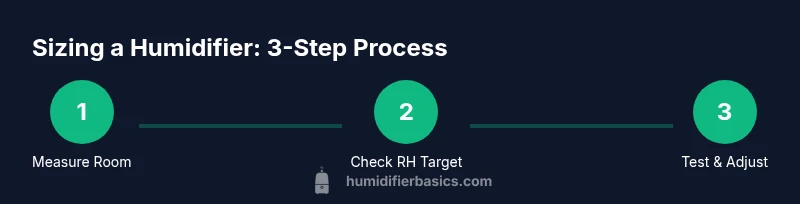
A practical approach starts with measuring the room, identifying your target RH, and locating the device’s coverage range. If your space sits between two ratings, lean toward the larger one and tune with the humidistat. Keep a simple log of room measurements, RH readings, and settings to track how your space responds over a week. This helps you determine whether you need to adjust using a different model or to reallocate units in multi‑room homes. Real-world testing, not guesswork, yields the most reliable results. The HumidifierBasics team recommends documenting readings and settings to maintain consistent comfort over the seasons.
Common mistakes to avoid when sizing a humidifier
- Buying based on price or aesthetics instead of capacity for the space.
- Assuming one room’s needs match another simply because they’re similar in size.
- Skipping a humidity monitor, which makes it easy to overshoot or undershoot the target RH.
- Using a unit with a fixed output in a space with variable airflow or ventilation.
- Ignoring maintenance, mineral buildup, and filter efficiency, which can reduce effective output.
Address these issues by choosing adjustable units, verifying with a hygrometer, and performing regular maintenance.
Verification after setup: how to confirm you sized correctly
After installation, give the room 24–48 hours of stable operation while monitoring RH with a hygrometer placed in the main living area or bedroom. If RH remains consistently between 40% and 60%, you’re likely well sized. If the RH trends toward the extremes, adjust the humidifier’s output, increase ventilation, or relocate the device to improve distribution. Recheck after adjustments to confirm the effect. Consistency over time is the best indicator that you’ve chosen the right size for your space. The HumidifierBasics team underscores the importance of periodic re‑checking as seasons change and air exchange varies.
Maintenance and its impact on sizing: mineral buildup and efficiency
Mineral deposits from tap water can accumulate on filters or emitters, reducing output and mist quality. Using distilled water can mitigate this issue, especially in areas with very hard water. Regular cleaning, replacing filters as recommended, and keeping the tank in good condition preserve the device’s rated capacity. When you size a unit, also plan for maintenance time so that the device remains reliable year after year. A well‑maintained humidifier preserves the accuracy of its output, making your sizing decisions more durable. The HumidifierBasics Team highlights that maintenance is a critical companion to proper sizing.
Real-world scenarios: how to apply the sizing framework
Scenario A: A small bedroom (typical apartment) with good insulation and a standard ceiling height. You would start with a compact unit that offers adjustable output and confirm that RH stays in the 40–60% range through the night. Scenario B: A medium‑sized living area with open floor plan and moderate air exchange. You might choose a mid‑sized unit with more consistent output and the ability to respond to daytime humidity shifts. Scenario C: A nursery adjacent to a busy household. Prioritize a quiet unit with accurate humidity sensing and stable, gentle mist output. In each case, rely on room volume, climate, and a hygrometer to guide adjustments rather than guessing based on square footage alone.
Tools & Materials
- Measuring tape(Measure length and width of the room for square footage)
- Calculator(Compute room volume (sq ft × ceiling height))
- Digital hygrometer(Monitor RH accurately in the main living zone)
- Notebook and pen(Log measurements, RH readings, and settings)
- Humidifier with adjustable output or humidistat(Choose a unit that can be tuned to target RH)
- Distilled water (optional)(Reduces mineral buildup and improves output efficiency)
- Soft cloth and mild cleaner(For routine tank cleaning and mineral deposits)
Steps
Estimated time: 20-30 minutes
- 1
Measure the room
Use a measuring tape to record length, width, and ceiling height. Compute the room’s volume by multiplying these three dimensions. This gives you a baseline to compare against the humidifier’s coverage rating.
Tip: Place the measurement area away from doors and vents to avoid drafts that skew readings. - 2
Set your humidity target
Decide on a target RH in the 40–60% range based on climate, furnishings, and personal comfort. This target helps you choose a unit with appropriate output and a humidistat.
Tip: In very dry climates, you may start at 45% and adjust up or down as needed. - 3
Check the unit’s output category
Look at the product’s rated coverage or room size. If your space sits between categories, select the larger one to ensure adequate moisture distribution.
Tip: Prefer models with adjustable output so you can dial in precise RH. - 4
Test with a hygrometer
Run the humidifier for a day and monitor RH in the primary living area. If readings stay in the target range, you’re likely sized correctly.
Tip: Avoid placing the sensor directly in the mist stream. - 5
Adjust and optimize
If RH is consistently high or low, adjust the unit’s output and recheck. Consider ventilation changes if humidity is drifting due to air exchange.
Tip: Keep doors closed during operation to stabilize RH in the tested space. - 6
Document settings for seasons
Record your room measurements, RH targets, and device settings. Seasonal changes may require re‑tuning.
Tip: Revisit every 2–3 months or when you notice mood, skin, or allergy symptoms changing.
FAQ
How do I know what size humidifier I need for a bedroom?
Start with the room’s volume (length × width × height) and compare it to the humidifier’s coverage rating. Choose a unit with adjustable output and use a humidistat to keep RH in the target range.
Measure the room, check the device’s coverage rating, and use a humidistat to stay within your target humidity range.
Can I use a single humidifier for multiple rooms?
It’s possible if the rooms share airflow and are open, but most homes benefit from dedicated units per space or a larger unit with even distribution.
Usually better to have one unit per major space or a larger unit that can distribute moisture evenly.
What happens if my humidifier is too small for the space?
A unit that’s too small will struggle to raise RH to the desired level, especially in dry climates or large rooms, leading to ongoing discomfort.
It won’t reach the target humidity, leaving you uncomfortable and needing to run the device longer.
Should I run a humidifier all day or only at certain times?
Run as needed to maintain your target RH, typically with more operation during dry seasons. A humidistat helps automate this decision.
Use the humidistat to keep readings steady and avoid over‑humidifying.
Is warm‑mist or cool‑mist better for sizing?
Both can size a space effectively. Cool‑mist units are common for broader distribution, while warm‑mist units add perceived warmth and may feel stronger in dry air. Size and output matter more than the mist type.
Both work; pick based on your climate, safety, and noise preferences, then size to space.
Do I need a separate humidifier for pets?
Not always, but pet‑friendly spaces may benefit from consistent humidity to ease respiratory symptoms. Ensure clean water and good filtration to prevent mineral dust.
If your pets show sensitivity, consider a dedicated space with proper cleaning and filtration.
Watch Video
The Essentials
- Size by space, not by price or appearance.
- Use a humidistat and RH monitoring for precision.
- Adjust output to maintain 40–60% RH safely.
- Account for ventilation and room layout when sizing.
- Maintain the unit to preserve its rated performance.