AC and Humidifier: How to Balance Humidity in Your Home
Learn how to balance humidity using your air conditioner and a humidifier. This practical, step-by-step guide covers RH targets, setup, and maintenance for healthier indoor air.


You can optimize air comfort by using your air conditioner to control humidity and temperature, then supplement with a humidifier in dry rooms. Key requirements: a clean water source, proper humidifier size for the space, and monitoring humidity with a hygrometer to keep indoor RH between 30-50%. This approach avoids over-moisturizing and reduces energy use. If you only need occasional relief, run the humidifier when the AC isn't actively cooling.
How AC dehumidifies and how a humidifier adds moisture
Air conditioners naturally remove moisture as they cool air. The coil inside condenses water from warm indoor air, which reduces relative humidity (RH). A humidifier, on the other hand, adds moisture to dry spaces when humidity levels fall below comfortable thresholds. Understanding this balance is the first step in creating a consistently comfortable indoor climate. According to HumidifierBasics, pairing AC with a humidifier can stabilize RH without sacrificing temperature control, especially in rooms that experience seasonal dryness. By recognizing the complementary roles of these devices, homeowners can craft a simple routine that keeps air comfortable year-round while avoiding mold risk and energy waste. The goal is a steady RH in the generally comfortable range while using the AC for cooling and the humidifier for moisture when needed, not all the time.
Humidity targets for comfort and health
A practical humidity target for most homes is a relative humidity range that feels comfortable and supports health. In spaces that see dry winter air or summer heat, keeping RH around 30-50% tends to reduce dry skin, nasal irritation, and static while minimizing condensation on walls or windows. If you have sensitive occupants or respiratory concerns, a slightly narrower band (for example, 35-45%) can feel more comfortable. Use a hygrometer placed at roughly breathing height in a central room to guide adjustments. HumidifierBasics analysis shows that consistent RH in this band aligns with common indoor air quality recommendations and can improve perceived comfort throughout the day.
Sizing a humidifier for rooms used with AC
Choosing the right humidifier size means matching output to the space you want to treat. For compact bedrooms, a table-top or small room unit is usually sufficient, while larger living rooms may require a console or whole-room model. Always check the manufacturer's coverage area and choose a unit that can deliver the needed humidity without oversaturating the air. When used with an AC, a smaller unit used intermittently often provides better control than a larger model that runs constantly. If you’re unsure, start with a medium-capacity unit and adjust based on RH readings.
Placement and airflow for balanced humidity
Where you place a humidifier matters. Position it on the floor or a low shelf away from walls, doors, and electronics to avoid direct condensation. Ensure there is at least a few feet of unobstructed air path around the unit so that moisture distributes evenly rather than pooling in one corner. In rooms with ceiling fans or HVAC vents, angle airflow to promote mixing rather than concentrating humidity in a single zone. Good airflow helps prevent hotspots of moisture that could foster mold growth.
Using fans and airflow to complement humidity control
Fans are inexpensive tools to help distribute humidity evenly. A ceiling fan running counterclockwise in cooling mode pulls in cooler air from the floor and pushes warm air down, boosting comfort without cranking the AC. In drier rooms, a gentle breeze from a fan can help the humidifier disperse moisture more uniformly. Use airflow strategically: avoid blasting a single corner with moisture, and aim for gentle, continuous movement that mixes air rather than creating stagnant pockets.
Measuring humidity: hygrometers and RH targets
Invest in at least one reliable hygrometer for quick RH checks. Place it in a central room away from direct moisture sources like bathrooms or kitchens, and away from heat vents that skew readings. Check RH at different times of day—morning, afternoon, and after turning the AC or humidifier on or off. Make small adjustments to the humidifier’s output or the room’s airflow based on any deviations from your target RH range. Regular monitoring is the key to long-term balance.
Maintenance to prevent mold and mineral buildup
Regular cleaning is essential when using humidifiers with AC, especially in rooms with persistent humidity. Empty and dry the reservoir between uses, and clean components with a mild solution (such as vinegar and water) to dissolve mineral deposits. Use distilled or demineralized water to limit mineral buildup that can circulate in the air. Replace filters as recommended by the manufacturer, and inspect the unit for signs of mold or residue. A clean system delivers safer moisture and better indoor air quality.
Common pitfalls when running AC and humidifier together
Misunderstanding RH needs can lead to over-humidification, condensation on windows, or damp spots on walls. Running the humidifier while the AC is actively cooling can create rapid humidity shifts that your HVAC system isn’t designed to handle. Always monitor RH and adjust output once you’ve reached your target. Avoid placing humidifiers directly beside electronics or fabric storage, which can be damaged by moisture. Regular maintenance reduces the chance of mold and mineral buildup that worsen air quality.
Example scenarios: small apartment vs large living area
In a small apartment, a compact humidifier that covers the bedroom or living area may be enough. Place the unit away from walls and near the space where occupants spend the most time, and keep RH readings steady with gentle adjustments. For larger living spaces, consider a larger humidifier with broader coverage, or a distributed approach using two smaller units. Ensure the HVAC system’s airflow helps mix air rather than creating pockets of high humidity. In all cases, use a hygrometer to maintain RH within your target range.
Quick-start checklist for today
- Place a hygrometer in a central room. 2) Choose a humidifier with appropriate space coverage. 3) Fill with distilled water and place it away from walls and electronics. 4) Set the humidifier on a low-to-moderate setting and turn on the AC. 5) Monitor RH and adjust output to stay in the target range (30-50%). 6) Clean the humidifier weekly and after heavy use. 7) Recheck RH daily for the first week to fine-tune settings.
Authority sources
For further reading on indoor humidity and air quality, consult authoritative sources such as the Environmental Protection Agency (EPA) indoor air quality guidelines and peer-reviewed literature on humidity and health. These sources offer detailed explanations of humidity’s effects on comfort, health, and building performance.
Tools & Materials
- Humidifier (cool-mist or warm-mist) with appropriate room coverage(Choose by room size; check that the unit can operate with your space's ACH and humidity targets.)
- Digital hygrometer or smart thermostat with humidity sensor(Place at breathing level in a central room for accurate readings.)
- Distilled or demineralized water(Reduces mineral deposits in the air and on the device.)
- Cleaning supplies (white vinegar, soft cloth)(Used to remove mineral buildup and mold; follow manufacturer guidelines.)
- Measuring tape(Helpful for sizing rooms and selecting humidifiers with appropriate output.)
- Power strip with surge protection(Ensure safe and stable power supply for multiple devices.)
Steps
Estimated time: 60-120 minutes
- 1
Assess current humidity
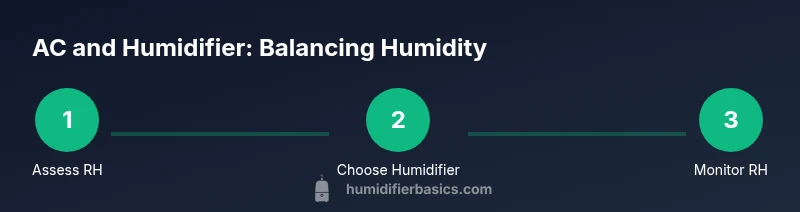
Place a hygrometer in the room you plan to treat. Note the baseline RH at different times of day and under varying AC activity. This gives you a starting point for adjustments.
Tip: Take readings in the same location to avoid skewed results. - 2
Size the humidifier to the space
Refer to the humidifier's coverage area and match it to the room's square footage. If you have multiple spaces, plan to treat the largest area first or use multiple units for even coverage.
Tip: When in doubt, start with a mid-range unit and adjust as needed. - 3
Place the humidifier correctly
Set the device on a stable surface away from walls, windows, and electronics. Ensure airflow is not obstructed and there is space for moisture to distribute.
Tip: Avoid placing directly on carpets where moisture can seep in. - 4
Connect and configure
Plug in the humidifier and set a low-to-moderate output. If the room has an active AC, start with a smaller setting and adjust after monitoring RH for 15-20 minutes.
Tip: Always follow the manufacturer's safety guidelines for wiring and placement. - 5
Monitor RH and adjust
Check RH readings after initial setup. Increase or decrease output to maintain the target RH. Avoid rapid changes to minimize condensation and spikes.
Tip: Use a timer to cycle humidifier on/off to maintain stable humidity. - 6
Integrate with airflow
If you have ceiling fans or HVAC vents, ensure airflow promotes mixing rather than pooling moisture. Small adjustments to fan speed can improve distribution.
Tip: Gentle continuous airflow is usually better than a strong, brief blast. - 7
Perform regular cleaning
Drain, rinse, and refill with fresh water daily when in heavy use; deep-clean weekly to prevent mineral buildup and mold growth.
Tip: Use a mild cleaning solution and rinse thoroughly before reuse. - 8
Maintain neutral temperatures
Keep AC settings within a comfortable range; high cool settings can cause humidity swings if humidity control isn’t matched to air temperature.
Tip: Avoid extremely low temperatures combined with high humidity. - 9
Review and adjust seasonally
As seasons change, RH targets may shift with heating and cooling loads. Reassess RH in each room at the start of major seasonal changes.
Tip: Document the settings that work best for future reference. - 10
Document a maintenance plan
Create a short schedule for filter checks, cleaning, and water changes. Stick to it to maintain air quality and device longevity.
Tip: Set calendar reminders for regular maintenance. - 11
Assess results and refine
After 1–2 weeks, review RH stability and occupant comfort. Refine humidifier output, placement, or the number of units as needed.
Tip: Small, incremental changes yield the most stable results. - 12
Safety and best practices
Never run a humidifier unattended around water leaks, and always unplug during water changes or cleaning. Keep cords away from water sources.
Tip: Prioritize safety over aggressive humidity targets.
FAQ
Can I run the humidifier and AC at the same time?
Yes, you can run both simultaneously, but monitor humidity closely. The AC de humidifies as it cools, while the humidifier adds moisture. Keep RH within a comfortable target (roughly 30-50%).
You can run both, just watch the humidity and keep it in a comfortable range.
What RH range is best when using an AC and humidifier?
A practical target is 30-50% RH. This range balances comfort, health, and mold prevention while avoiding window condensation.
Aim for about thirty to fifty percent humidity for most homes.
How do I choose the right humidifier size for my room?
Compare the room size to the humidifier's coverage area. For large rooms, consider a unit with higher output or multiple units to avoid over-humidification in smaller spaces.
Match the humidifier's coverage to your room size.
How often should I clean the humidifier?
Clean the humidifier weekly and after extended use. Empty and dry between uses to prevent mold and mineral buildup.
Clean weekly and after heavy use.
Can humidity damage the AC or windows?
Excess humidity can cause condensation on windows and potential mold growth. Keep RH below 60% and ensure proper airflow to minimize risks.
High humidity can cause condensation and mold; keep RH under sixty percent.
Watch Video
The Essentials
- Monitor RH with a hygrometer to guide adjustments.
- Match humidifier output to room size for balance with AC.
- Place units and fans to promote even moisture distribution.
- Regular cleaning prevents mold and mineral buildup.
- Aim for a 30-50% RH target for most homes.