Dreo Smart Humidifier for Bedroom: Comprehensive Review
A thorough, balanced review of the Dreo smart humidifier for bedroom, covering humidity control, noise, smart features, maintenance, and who should buy it.


Definition: The Dreo smart humidifier for bedroom combines automatic humidity control with quiet operation and smartphone app integration, designed to keep sleeping spaces comfortable. It uses built-in sensors to monitor room moisture, adjusts mist output to target levels, and offers schedules, timers, and voice assistant compatibility. For bedrooms, this translates into consistent humidity without loud noise or over-wetting.
Why a Bedroom Humidifier Matters for Sleep and Health
Maintaining comfortable humidity in bedrooms is more than a luxury; it supports nasal comfort, skin hydration, and respiratory health during long nights. When air is too dry, mucous membranes can become irritated, throat soreness can worsen, and small irritants in the air can feel harsher. A well-chosen humidifier can help your body recover moisture overnight and reduce irritations that disrupt sleep. For many households, the challenge is balancing moisture without oversaturating surfaces or encouraging dampness on walls.
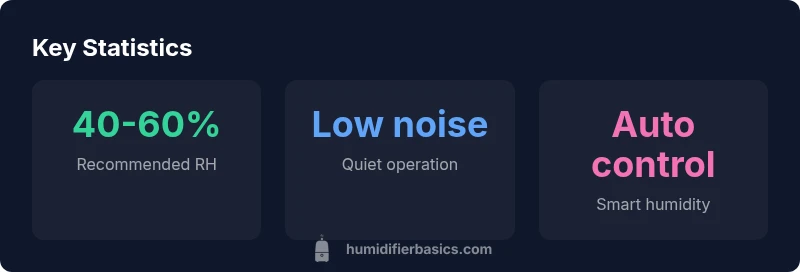
According to HumidifierBasics, the best bedroom units emphasize quiet operation, reliable humidity sensing, and straightforward maintenance routines. The Dreo smart humidifier for bedroom is designed with these priorities in mind: it aims to keep the room within a comfortable RH band, automatically adjust mist output based on readings, and provide easy controls for bedtime use. The HumidifierBasics team found that automation and ease of use are often the deciding factors for most buyers who want a set-it-and-forget-it experience.
Design and build: Dreo smart humidifier for bedroom features
The Dreo unit presents a compact, clean silhouette that blends into most bedroom decors. The housing typically uses durable plastic with a matte finish, a transparent water tank, and a clearly labeled control panel. Key design choices support easy daily use: a wide-mouth fill for quick refills, a mid-sized tank that balances run time with a manageable footprint, and a simple mist outlet that distributes dampness evenly without creating concentrated streams toward the bed.
From a practical standpoint, the unit prioritizes accessibility: removable parts for cleaning, clear indicators for water level and settings, and a straightforward power switch. While aesthetics matter, the real value comes from how the design supports quiet, dependable operation over many nights.
How humidity is measured and controlled in practice
Effective bedroom humidification rests on accurate sensing and predictable control. The Dreo model integrates built-in hygrometers that continuously read room moisture, feeding data to a microcontroller that modulates mist output. In auto mode, the humidifier adjusts the mist to maintain a target RH range, reducing overshoot and minimizing surface dampness. Safety features like auto shutoff when empty or tipped add peace of mind for households with children or pets. HumidifierBasics analysis shows that models with responsive sensors and stable control loops deliver more consistent comfort over the night, reducing wake-ups caused by stuffiness or dryness.
Noise, comfort, and real-world performance
In bedrooms, noise matters as much as humidity accuracy. The Dreo unit is designed to run at low to moderate fan speeds, yielding a soft hum that most sleepers report as unobtrusive. Even on higher mist settings, the sound profile tends to stay within a range that many find acceptable for sleep. Real-world performance highlights that stable humidity often reduces throat irritation, nasal congestion, and dry skin, contributing to more restful nights. The key is balancing mist output with the room’s airflow and keeping the unit a reasonable distance from the bed to minimize direct airflow.
Smart features and app integration
Smart features add convenience without complicating the bedroom routine. The Dreo humidifier typically supports app control for on/off, scheduling, and humidity targets. Some models offer basic voice assistant compatibility or routine integrations, allowing you to automate mist levels with sleep-time routines. For households already using a smart ecosystem, these capabilities can translate into a single, painless setup. However, the perceived value depends on how intuitive the app is, how reliably it connects, and whether the initial setup remains stable after software updates.
Maintenance, cleaning, and longevity
Maintenance is a recurring theme with any humidifier. The most critical tasks are daily emptying of water, regular rinsing, and periodic deeper cleaning to prevent mineral buildup. Using distilled or demineralized water can reduce deposits and keep performance consistent over weeks and months. Careful resealing of the water tank after cleaning helps prevent leaks, and following a simple weekly schedule minimizes the risk of mold or bacteria growth. The easier the maintenance routine, the more likely you are to keep humidity levels stable over long stretches.
Energy use and running costs
Smart humidifiers typically consume modest amounts of electricity, but actual running costs depend on how long you run the unit and at what mist level. A typical bedroom setup prioritizes overnight operation in auto mode to maintain comfort without excessive energy use. When possible, optimize by setting a reasonable humidity target and turning off the device during the day if humidity remains stable. Over time, this balance helps minimize energy consumption while preserving air quality and comfort.
Setup and first-use checklist
Before first use, ensure the unit is placed on a flat, stable surface away from bed drafts and open windows. Fill the reservoir with clean water, power on, and run in low mist to verify that the outlet directs moisture evenly. Activate auto mode and set the desired humidity target, then observe the room’s feel over the next several hours to confirm comfort. If the app is available, complete the pairing during the initial setup to unlock automation features.
Placement, airflow, and room-level considerations
For optimal performance in a bedroom, position the humidifier away from direct airflow toward the bed and near a central area of the room. Keep the device elevated on a stable surface to promote even distribution. Consider room size and ceiling height when selecting a target humidity; small rooms may require lower mist output to avoid oversaturation, while larger bedrooms might benefit from longer run times and carefully tuned auto settings.
Common myths about bedroom humidifiers
A common misconception is that running a humidifier at any humidity level is harmless. In reality, oversaturating a room can encourage condensation, mildew, or damp surfaces. Another myth is that higher mist output always yields faster results; in truth, smart sensors and auto controls deliver the most consistent comfort without waste. A third misconception is that all humidifiers are equally easy to clean; models with wide openings and simple parts tend to be more reliable over time.
What's Good
- Quiet operation suitable for sleep
- Automatic humidity sensing for stable comfort
- App control and scheduling for convenience
- Auto shutoff for safety and reliability
- Easy-to-clean design with accessible parts
Negatives
- Requires regular cleaning to prevent mineral buildup
- App setup can be finicky on some devices
- Higher upfront cost than basic models
- Water tank refills are needed for long nightly use
Strong all-around choice for sleep-focused bedrooms
The HumidifierBasics team recommends this model for mid-sized bedrooms where quiet operation and automation matter. It delivers reliable humidity control with minimal setup and maintenance. HumidifierBasics's verdict is that it offers solid value for homeowners and renters alike.
FAQ
Is the Dreo smart humidifier for bedroom suitable for small rooms?
Yes, it is generally suitable for small to mid-sized bedrooms, with auto humidity features helping to prevent over-humidification in compact spaces. If your room is very small, start at a lower mist setting and adjust as needed.
Yes, it works well in small bedrooms, especially with auto humidity. Start slow and adjust to your comfort.
Can I use essential oils with this model?
Many humidifiers are not designed for essential oils because oils can clog components. If the model supports oils, use only manufacturer-approved oil pads or follow the manual precisely.
Check the manual about essential oils; some models don’t support them and using oils can cause damage.
Does it work with Alexa or Google Assistant?
Some variants offer voice assistant compatibility or can be controlled via compatible ecosystems. Verify the exact model features before purchase and check for required apps or bridges.
Some models support voice assistants; confirm compatibility before buying.
How often should I clean the humidifier?
Aim for a quick daily rinse and a deeper cleaning at least once a week. Empty the tank, rinse with clean water, and wipe the base to prevent buildup.
Rinse daily, deep-clean weekly to avoid mineral buildup.
What water type is best to use?
Distilled or demineralized water is recommended to minimize mineral deposits and ensure the unit stays clean and efficient.
Use distilled water to reduce mineral buildup.
What should I do after a power outage?
Power cycles are common after outages. Reconnect to the app if applicable and re-check humidity targets. If you notice any irregularities, performing a quick reset helps.
If power returns, re-pair with the app if needed and confirm settings.
The Essentials
- Choose auto humidity for steady comfort.
- Prioritize quiet operation for better sleep.
- Maintain weekly cleaning to prevent mineral buildup.
- Leverage app controls to simplify nightly routines.
- Place unit away from direct bed airflow for even humidity.